
Build forms by conversation.
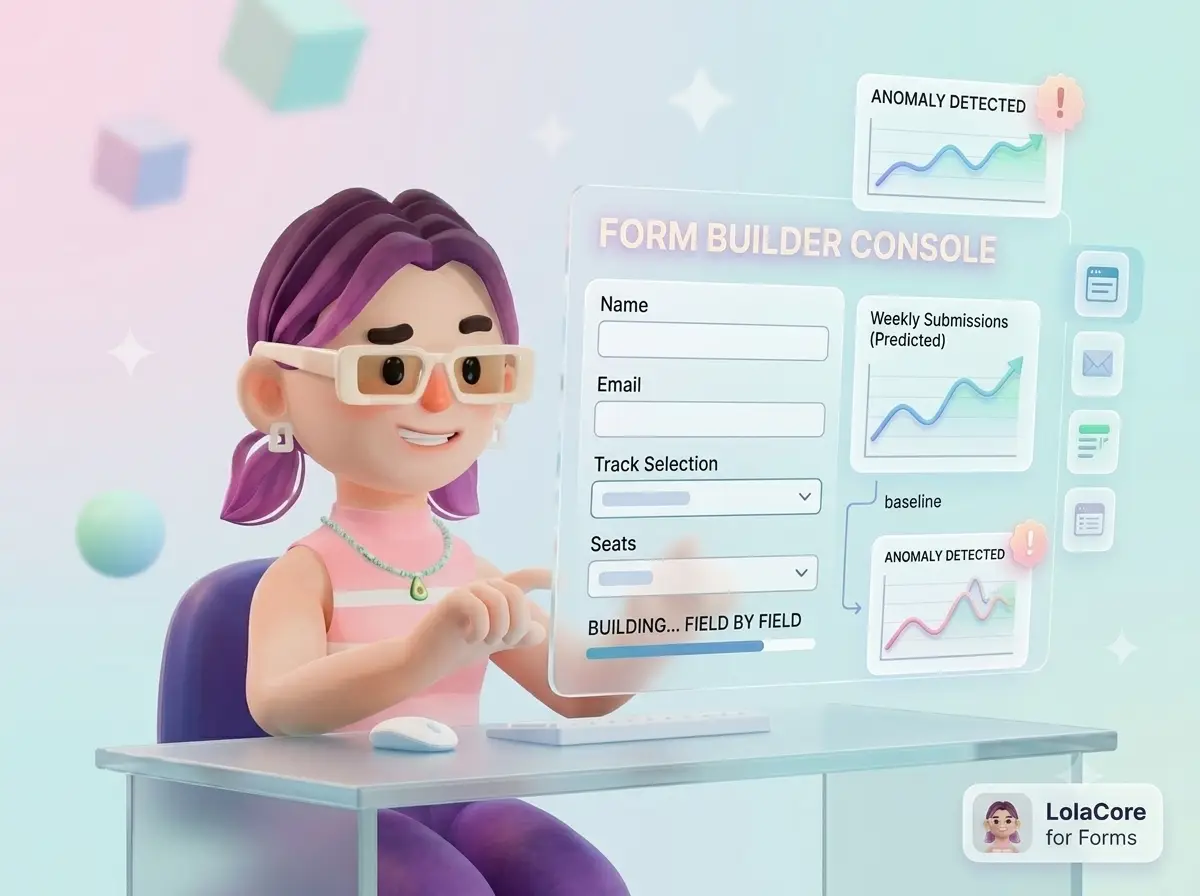
You think in whole sentences. Building the form means clicking them out one field at a time.
When you need a form, the sentence is already in your head: "workshop signup with track selection and how many seats," "project intake with budget range and timeline," "why did registrations die after we moved the events page." WPForms can do all of that. What building it asks of you first is the visual builder: drag fields, set dropdown choices one option at a time, open notification tabs, hunt for embed settings, save, copy a shortcode, paste it on the right page and hope you remembered which one.
One real intake form is twenty minutes of clicking. Three forms for a launch is most of a day. And when submissions stall, you are back in All Forms, then Entries, then filters, reconstructing by hand whether it was traffic, a broken embed, or a notification that never fired.
LolaCore for Forms removes that translation step. Same forms, same data. You stopped clicking and started talking. You say the sentence to Lola, she builds the form in chat, checks placement and notifications, reads submission trends against what she remembers as normal, and on WPForms Pro she triages the inbox without you opening five admin screens.
What changes when Lola handles your forms
Building a real intake form, not a three-field contact box
 LolaConversational Builder
You described an operational form in one breath. Lola mapped it to the right field types, refined a detail through placeholder and confirmation copy, set routing in the same pass, and saved without you opening the builder once.
Catching a signup collapse before the event sells out
LolaAnomaly DetectionYou gave a business deadline, not a technical ticket. Lola compared against what she remembers as normal for this form, traced placement and notifications, and pulled page views from Statistics in one answer.
Triage without the inbox maze (WPForms Pro)
LolaEntry InboxYou didn't open All Forms, pick the form, switch to Entries, then build filters. Lola read the inbox the way an events coordinator would: who's coming, what needs logistics, what looks off.
A quiet form is rarely just a form problem.
When submissions drop or spike, the cause often lives somewhere else. The page lost traffic. The embed moved during a redesign. A search change sent visitors to a different URL. Lola has affinity declared with Statistics, content, and SEO, so when a form finding overlaps another domain she follows it across.
LolaCross-domainThe signup count was the alarm. The real finding was page behavior above the form. Lola connected form performance, traffic, and timing because she reads both sides in one conversation.
Lola works inside WPForms. She doesn't replace it.
WPForms still stores entries, runs anti-spam, processes payments, and sends emails. Lola reads and writes through the same API, so a form she builds is identical to one built in the visual panel. She is not a second form plugin and she is not an SMTP fix. When delivery or checkout breaks, she surfaces it and points you to the right layer.
A few things still start in the WPForms builder for now, conditional logic being the one most people ask about. Lola is upfront at each handoff: what she did in chat, what WPForms still owns, and the shortest route between them. The full picture is in the FAQ and the roadmap below.
24 capabilities across 6 areas. 15 with WPForms Lite.
Overview
Forms dashboard with field counts and submission totals. Plugin status: Lite or Pro, LiteConnect, entry storage, payments, and the field types available to you.
Conversational form builder
Create a form shell with optional initial fields. Add, update, or remove allowlisted fields without the visual builder. Update notification, confirmation, and anti-spam settings with a dry-run preview. Get embed details: shortcode, block name, and edit URL.
Form health and placement
Human-readable form summary. Health audit covering notifications, confirmation, anti-spam, and placement. Notification routing: who receives each rule. Form placement: where a form is embedded across the site.
Submission trends
Week-over-week submission trends per form. Anomaly detection for drops, spikes, spam surges, traffic without submissions, and dominant forms. Form-to-form comparison with optional conversion proxy when LolaCore for Statistics is active.
Entry inbox (WPForms Pro)
Inbox summary with unread, starred, spam, and trash counts. Recent entries with field labels and PII masked by default. Entry detail, unread triage, spam breakdown. Mark read and delete with dry-run preview.
Payments (Pro, when active)
Payment summary by form and date range. Failed and pending payment rows pulled out for review.
What you need on the WPForms side
Lola remembers what each form is for
Every form you build with Lola leaves a trace. Not the raw entries, the purpose: "workshop registration pipeline," "project intake," "vendor application." Submission baselines too, so what counts as normal for each form is recorded, and a drop or spike means something instead of being a bare number.
That baseline is what turns "registration is usually at 40 by Thursday, we're at 6" into a useful question. Without it, 6 submissions is just 6. With it, that's 84% below your usual for this form, and the event is in ten days.
The memory lives inside your WordPress install. It decays over time so old context fades, and it updates as you keep working. The longer the add-on stays active, the sharper her sense of each form becomes.
No write happens without your approval
Creating a form, adding a field, updating a notification recipient, deleting an entry: every write action passes through a confirmation step. Lola shows you exactly what will change before it changes, including dry-run previews for settings updates.
Read actions, including inbox summaries and health audits, run directly. Entry reads mask email, phone, and IP by default. You get the unmasked values only when you explicitly request them.
Deleting an entry removes it for good, so Lola names the exact entry and waits for your go-ahead on each one before anything is removed.
Conditional logic from chat comes first.
1. Conversational conditional logic (next)
Describe show/hide rules in plain language. Example: If Service is Consultation, show Preferred date; if Emergency, show On-call phone. Preview the rule, confirm, saved, in the same flow you already use to create fields. This is first because it's the screen WPForms users reach right after basic field setup.
2. Richer builder coverage
- Multi-page forms and page-break flow from chat.
- Layout and repeater fields without opening the drag-and-drop panel.
- Payment field setup from chat when gateways are already connected in WPForms.
3. Explored for later
- Deeper bridges for WPForms add-ons (Surveys, Webhooks, User Registration).
- LiteConnect entry reads, if a stable public API becomes available.
- Multisite support.
What you need
If you already speak the WPForms API
Most of this page is written for the site owner who would rather not open another builder screen. If you work with WPForms directly, two things matter.
First, every capability runs against the public WPForms PHP API: WPForms_Form_Handler for forms, Pro entry handlers for inbox reads and writes, and allowlisted settings paths for notifications and confirmations. Same data, same structure, no scraping, no bypassed internals. Forms Lola creates are indistinguishable from forms created in the visual builder.
Second, Lola uses LolaCore's own WPForms capabilities (lolacore-wpforms/*), not the host plugin's native MCP integration. Your wp-admin chat and any connected IDE client share the same LolaCore ability layer. This add-on does not run standalone. It needs LolaCore active, because LolaCore is what publishes the server.
Questions
Can Lola build forms with conditional fields (show/hide based on another answer)?
Not from chat in version 1.3.0, and we put that first because it's what most people look for. Lola creates all the fields in chat. You wire the show/hide rule in the WPForms builder, usually a two-minute step once the form exists. Conversational conditional logic is the first planned upgrade. See the roadmap section above.
Does this replace WPForms?
No. WPForms keeps building, storing, and processing forms exactly as it does today. The add-on lets Lola read and update WPForms data from chat. You can still open the visual builder whenever you want.
Do I need WPForms Pro to build forms from chat?
No. The conversational builder works on WPForms Lite. Pro unlocks row-level entry inbox capabilities, payment reads, and guarded entry write actions when those features are active on your site.
Can I search submissions on WPForms Lite?
Lite stores submission counts in form meta, not a searchable entry inbox. Lola reports those counts and weekly trends honestly. Row-level inbox capabilities register only when WPForms Pro entry storage is active.
Does this use the WPForms MCP tools?
No. Lola uses LolaCore's own WPForms capabilities. She does not call the host plugin's native MCP integration or require WPVibe.
Is this affiliated with Awesome Motive?
No. WPForms is developed by Awesome Motive, LLC. This is an independent add-on, not affiliated with, endorsed by, or sponsored by them.
Does this send my form entries anywhere?
No. Every read and write runs inside your WordPress install through the WPForms PHP API. When you chat with Lola, your messages go to the AI provider you configured in WordPress itself. The add-on adds nothing to that path.
What happens if I deactivate WPForms?
The add-on shows an admin notice and stops registering its capabilities until WPForms is active again. No fatal errors.
Can Lola set up Stripe or PayPal on a form?
Gateway configuration stays in WPForms. When payments are already active, Lola reads summaries and flags failed or pending charges.
Build forms by conversation.
Install the add-on and Lola discovers all 24 capabilities automatically. There is no settings page to configure.
Don't have LolaCore yet? LolaCore is the free AI agent that lives inside your WordPress admin. It reads your site, takes action with your approval, and remembers everything across sessions. Get LolaCore free →
LolaCore for Forms is an independent add-on. Version 1.3.0 integrates with WPForms. It isn't built or endorsed by Awesome Motive, LLC. "WPForms" is a trademark of Awesome Motive, LLC.